Menus
| Menu icon | Title |
|---|---|
 | UI Navigation |
Most likely you will never need to create a new menu, only modify existing ones.
Editing a menu
You can select a menu using a selector in a top right corner:

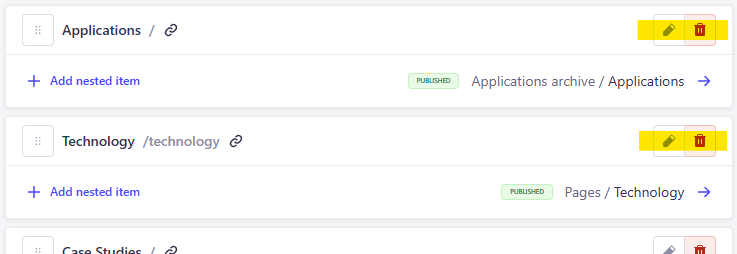
Existing menu items can be edited or deleted:
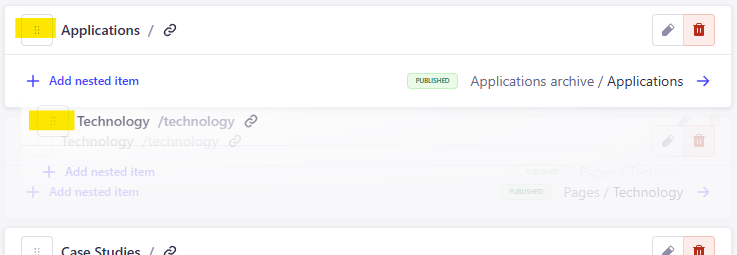
Or reordered by drag & drop:
Adding a menu item
There are two types of menu items:
-
Internal
Internal source means that we want to link to content that we have created here in the CMS.
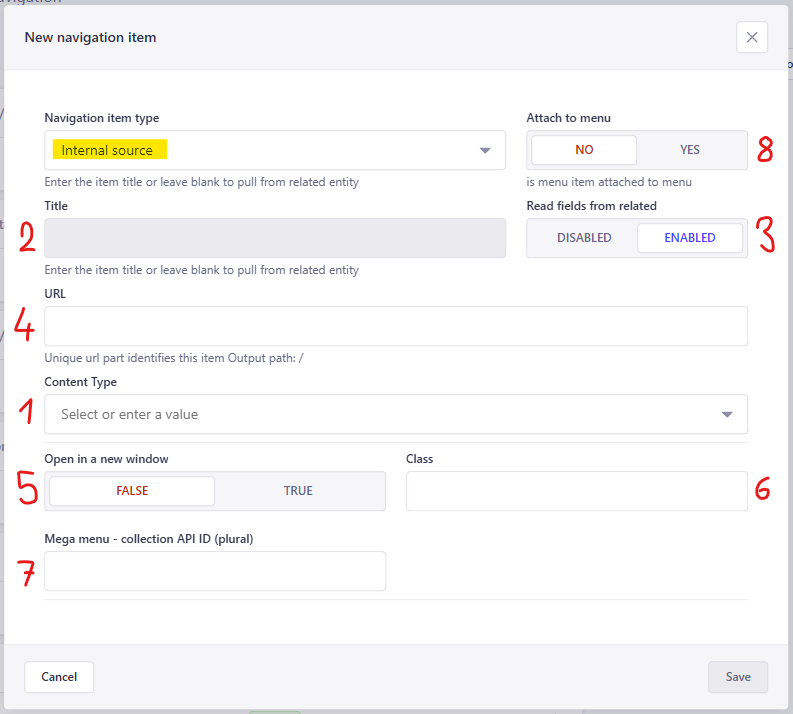
1 start by selecting a collection or s special page
- "Entity" field will appear when a collection is selected -> you must select a specific item from the collection2 title will be filled in automatically - if you want to overwrite it, turn off switch number 3 3 switch to disable auto title 4 url is auto-generated - no need to interfere 5 whether to open link in a new window 6 special class (not needed) 7 only for applications 8 leave default NO -
External
External source basically means that we want to use any url, no matter if it is on our site or somewhere else.
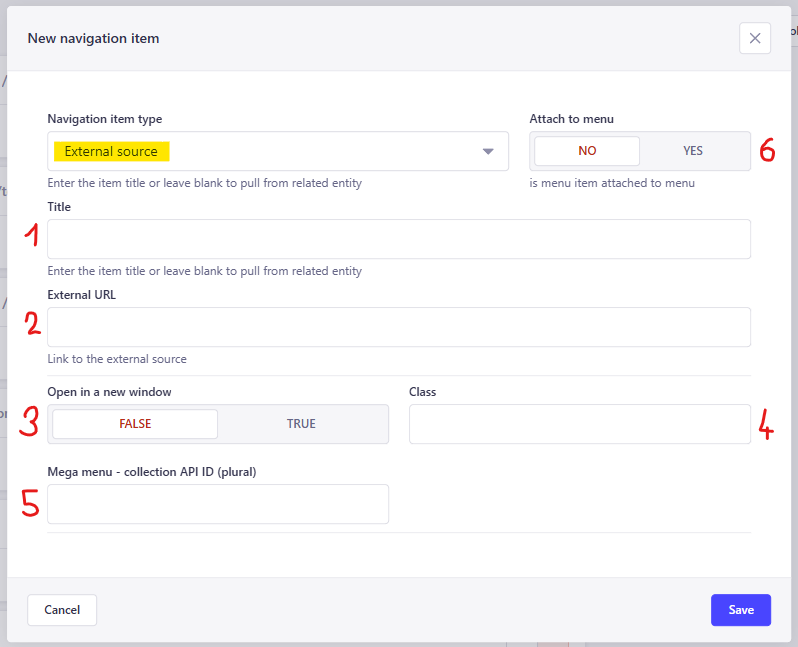
1 title of the menu item 2 url of the menu item - can be #contactorhttps://example.com3 whether to open link in a new window 4 special class (not needed) 5 only for applications 6 leave default NO
Save
Don't forget to save and publish your changes.