Media library
| Menu icon | Title |
|---|---|
 | Media Library |
This is a place where all images, videos and files are stored. You can upload them here and organise them into folders.
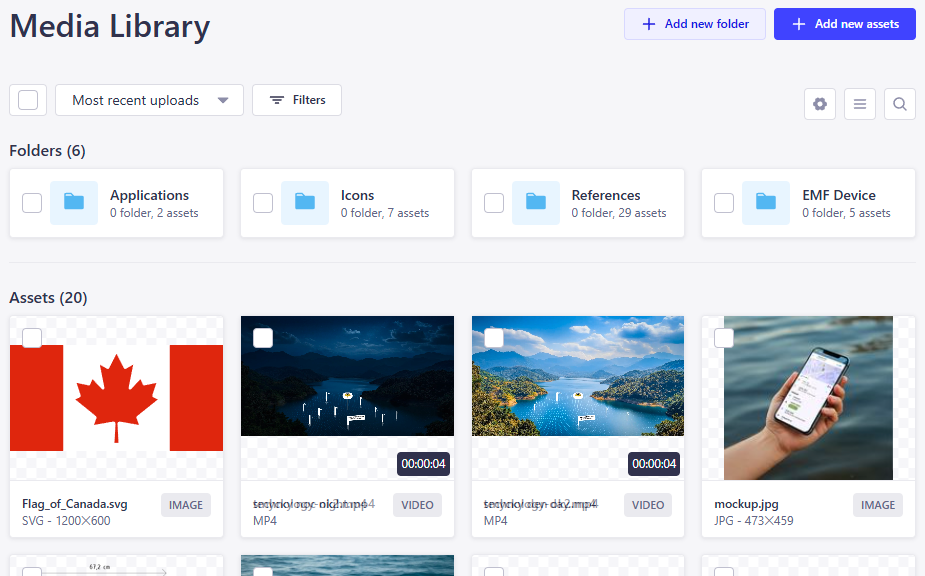
Media library in content editor
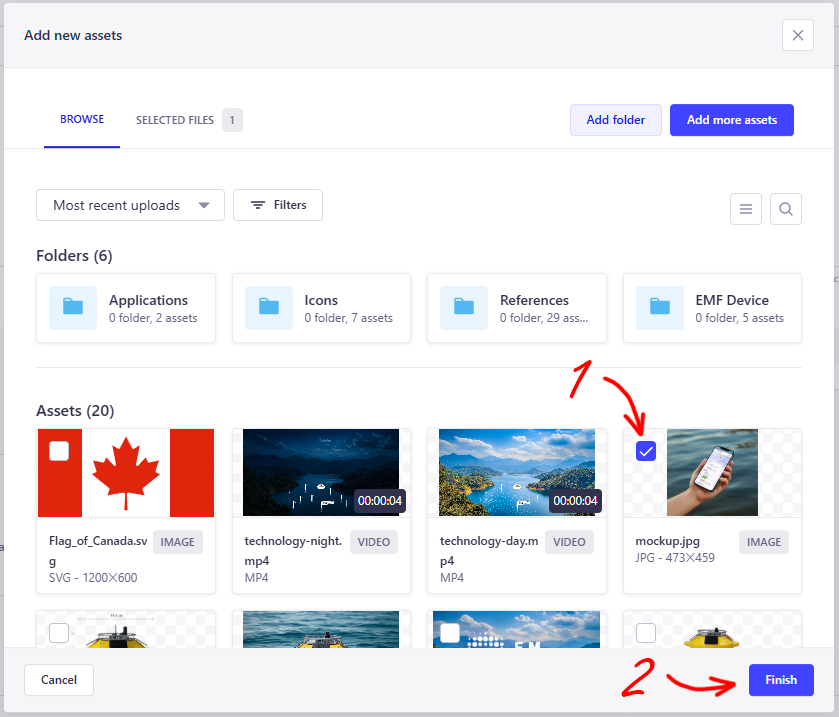
More often than not, you'll encounter the media library when editing content. The image/video/file field looks like this:

You have two options: drag and drop the file, or click.
When you drag and drop, the file is directly uploaded (after confirmation). When you click, a mini version of the media library shows up, where you can choose from existing files (using the checkbox, not by clicking the file).
When the media file is selected, the field looks like this:
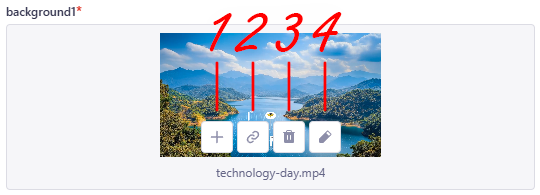
Here you can:
- add more files (if enabled)
- copy its url
- delete it
- edit its details
File details
Clicking the file opens its details.
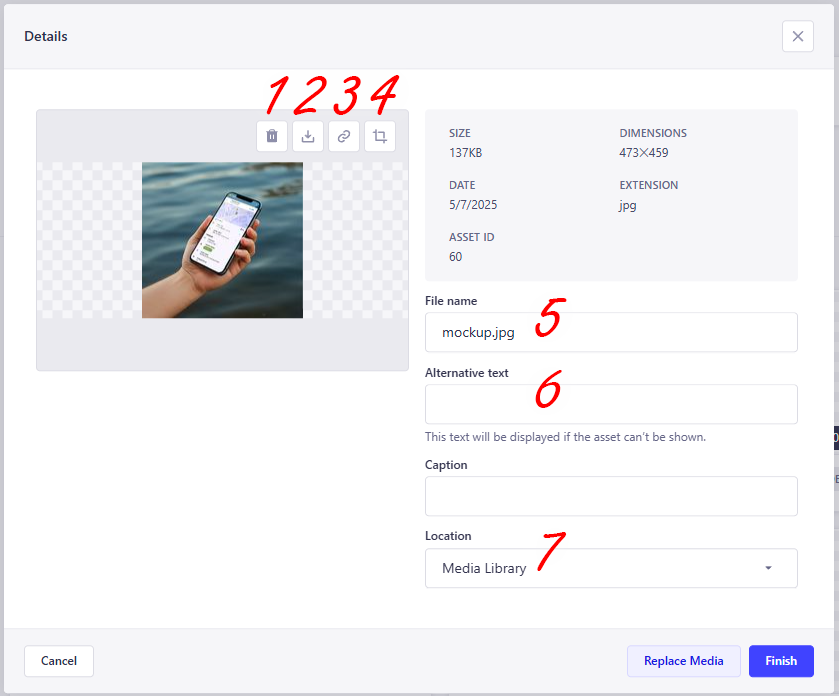
Here you can:
- delete it
- download it
- copy its url
- crop it
- change its name
- add an alternative text (
alt) - change its folder